Write special characters

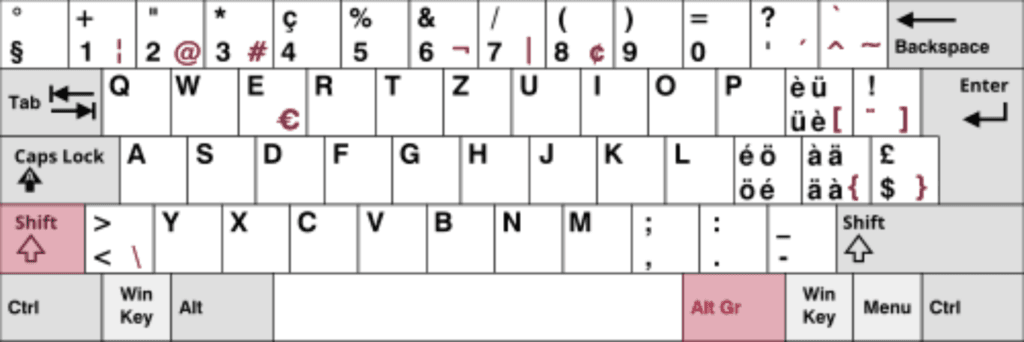
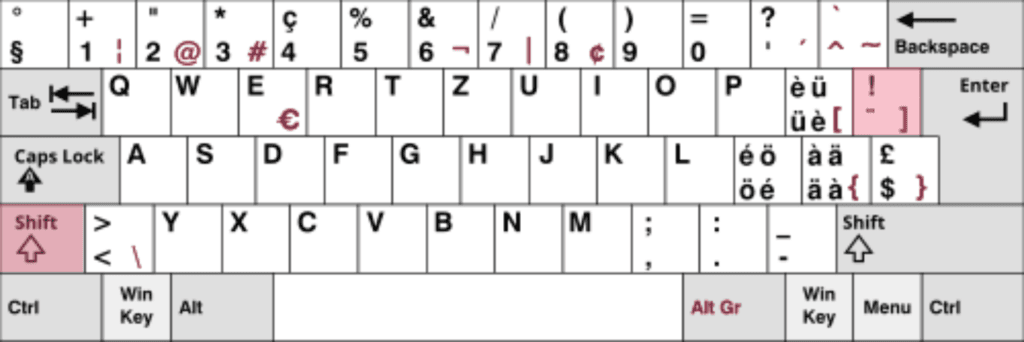
Here you can find out how to display special characters on your Swiss-keyboard. We'll take a quick look at this keyboard:

The Swiss keyboard:

The Swiss keyboard, for example, contains umlauts and special characters from French in addition to the normal German characters.

You can easily write the normal special characters that you need for everyday use by simultaneously pressing the «Shift key» and press the corresponding key. These are black at the top.

You can write the «special» special characters that you may not need so often by simultaneously pressing the «Alt Gr» key and press the corresponding key. These are blue at the top.


Specific special characters:

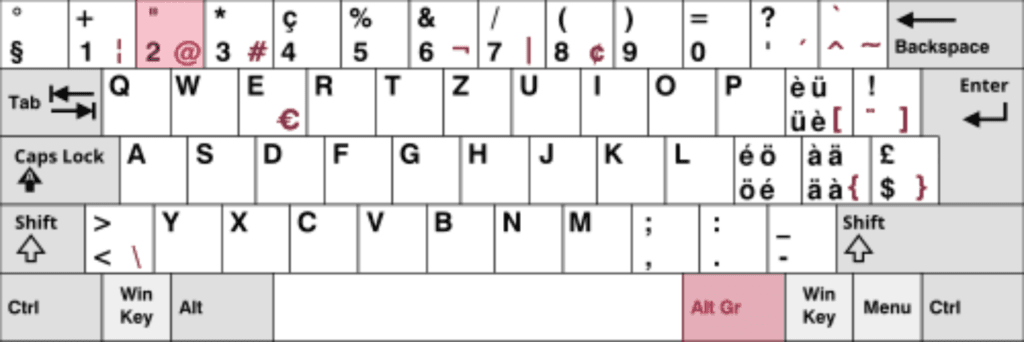
«Write »@" character

To write the «@» sign, press the «Alt Gr» and «2» keys simultaneously (Alt Gr + 2).

(To make it easier, these are outlined above).

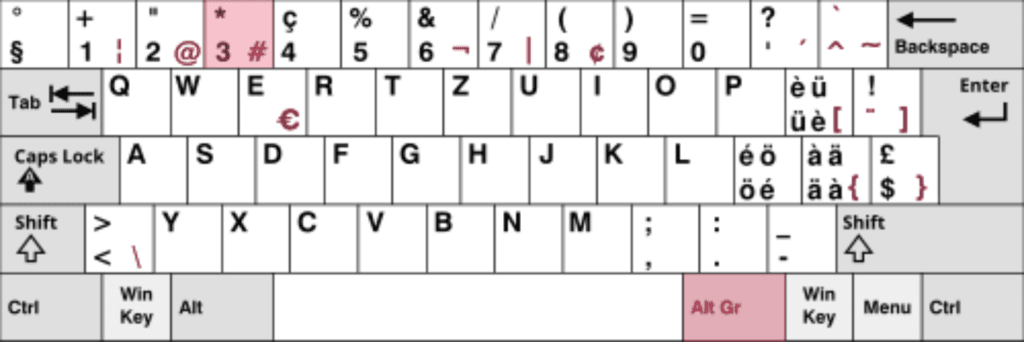
«Write »#" character

To write the «#» character, press the «Alt Gr» and «3» keys simultaneously (Alt Gr + 3).

(To make it easier, these are outlined above).

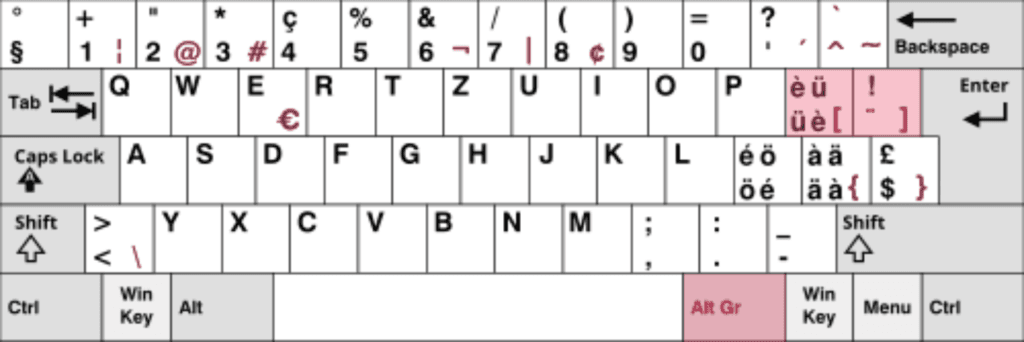
«[» character and «]» characters

To write the «[» character, press the «Alt Gr» and «ü» keys simultaneously (Alt Gr + ü).

(To make it easier, these are outlined above).

To write the «]» character, press the «Alt Gr» and «¨» keys simultaneously (Alt Gr + ¨).

(To make it easier, these are outlined above).

«!» Write characters

To write the «!» character, press the «Shift» and «¨» keys simultaneously (Shift + ¨).

(To make it easier, these are outlined above).

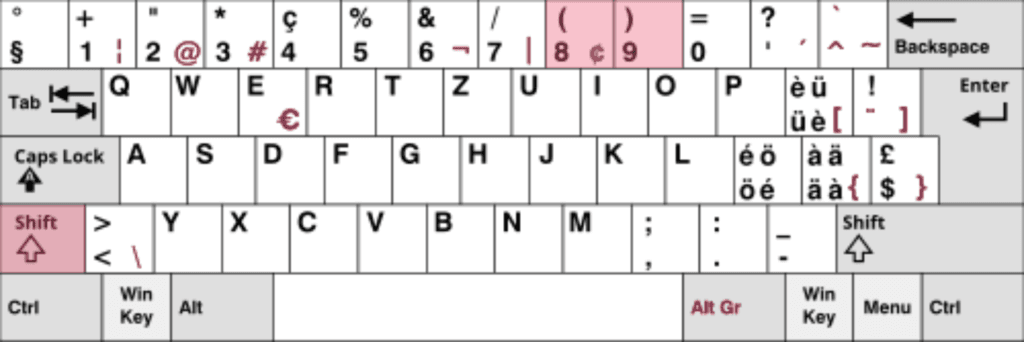
«(» character and «)» Write characters

To write the «(» character, press the «Shift» and «8» keys simultaneously (Shift + 8).

(To make it easier, these are outlined above).

To write the «)» character, press the «Shift» and «9» keys simultaneously (Shift + 9).

(To make it easier, these are outlined above).

If you want to know more, we would like to refer you to a complete overview on Wikipedia:
https://de.wikipedia.org/wiki/Tastaturbelegung

Was this article helpful?
en_GBEnglish (UK)