
Step-by-step
- Open Settings
- Select the mouse and touchpad
- Click on the control panel at the very top
- If you «click» rather than using a two-finger press, select «corner press».
- The right-click should then work as normal again.
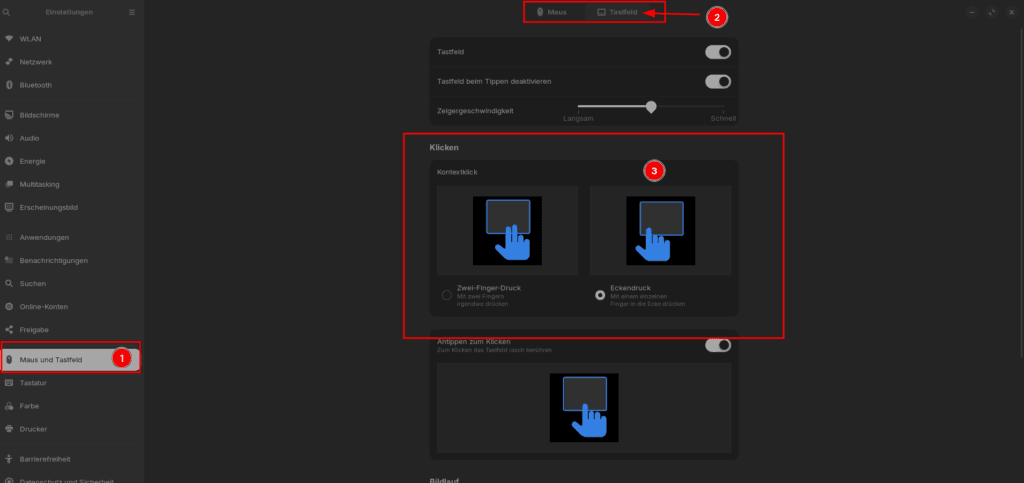
Now choose the option that suits you best.
 DE_CH
DE_CH  EN
EN  FR
FR  IT
IT